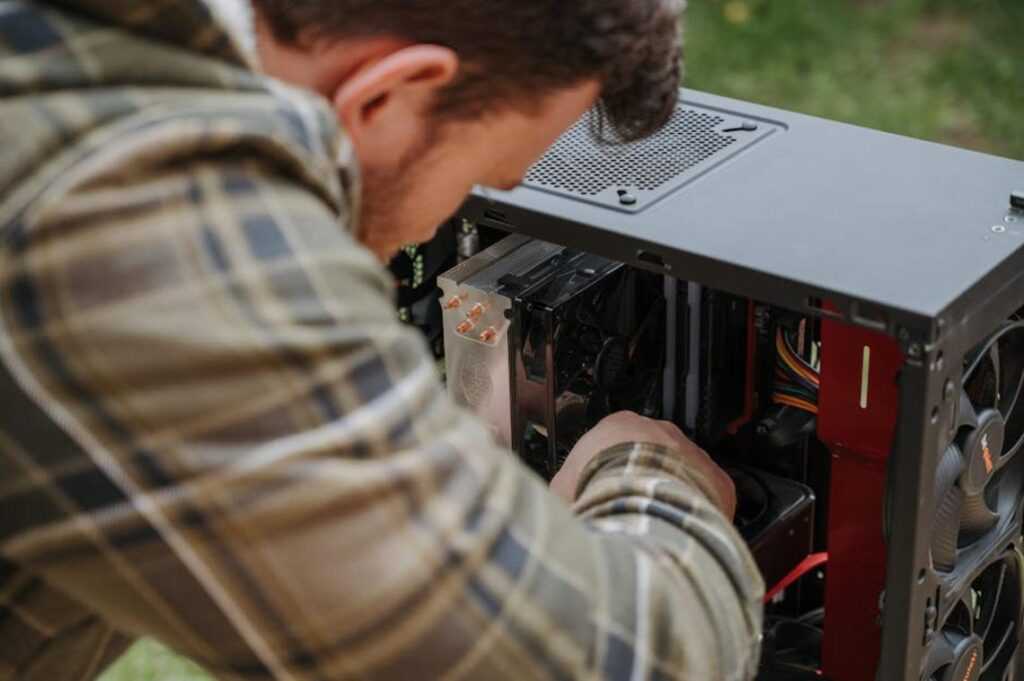
I remember my first day trying to play online games on PC.
You’re probably staring at your computer right now wondering where to even start. What games should you download? Do you need special equipment? How do you avoid looking like a total newbie when you jump into your first match?
Here’s the truth: PC gaming isn’t as complicated as it looks from the outside. But nobody explains the basics without assuming you already know half of it.
I’ve spent thousands of hours playing online games on PC. I’ve made every beginner mistake you can think of (and some you probably can’t).
This guide breaks down everything you need to know to start playing. I’ll show you what equipment actually matters, where to find games that match your interests, and how to join online matches without feeling lost.
playonit55 built this guide to get you from zero to playing as fast as possible. No jargon. No assumptions about what you already know.
You’ll learn how to set up your hardware, pick your first games, and connect with other players without the usual confusion.
By the end, you’ll be ready to jump into your first online match with confidence.
Let’s get you playing.
Gearing Up: The Essential Hardware for PC Gaming
You can’t game on a potato.
Well, technically you can. But you won’t enjoy it.
I see new players drop hundreds on games and then wonder why everything runs like molasses. They’re trying to run modern titles on hardware from 2015.
The Core Component – Your Computer
Let’s start with what actually matters.
Your CPU is your computer’s brain. It handles game logic and physics. Your GPU (graphics card) renders everything you see on screen. And RAM? That’s your short-term memory for running programs.
Here’s what most people get wrong. They see “minimum specs” on a game and think that’s good enough. It’s not. Minimum means the game will technically launch. You’ll get maybe 30 frames per second on low settings.
Recommended specs are where you want to be. That’s 60+ frames on medium to high settings. Smooth gameplay that doesn’t make your eyes hurt.
Essential Peripherals
Some folks say a gaming mouse is just marketing nonsense.
They’re wrong.
A standard office mouse has maybe 800 DPI (dots per inch) and weighs as much as a brick. A gaming mouse gives you adjustable sensitivity and weighs next to nothing. When you’re tracking targets in a shooter, that difference is real.
Gaming keyboards respond faster. Mechanical switches register your keypress in milliseconds instead of the delay you get from membrane keyboards. (Yes, the RGB lights are mostly for show. But the performance boost isn’t.)
And headsets? You need one for Playonit55 on pc. Voice communication wins matches. Plus, directional audio helps you hear footsteps behind you before someone gets the jump on you.
A Stable Internet Connection
Speed isn’t everything.
I know that sounds weird. But hear me out.
Ping measures how long it takes data to travel from your computer to the game server and back. Low ping (under 50ms) means your actions register instantly. High ping (over 100ms) means you’re playing in the past while everyone else is in the present.
You can have gigabit internet and still lose gunfights if your ping is trash. A stable 50mbps connection with 20ms ping beats unstable 500mbps with 80ms ping every single time.
Finding Your Games: An Introduction to Digital Storefronts
You just built your first PC or decided to start gaming on your laptop.
Now what?
Back in the day, you’d walk into a store and buy a physical disc. Now everything lives online, and if you’re new to playonit55 on pc, the whole setup can feel confusing.
I’m going to walk you through it.
What are Game Launchers?
Think of a game launcher as your gaming hub. It’s where you buy games, download them, and click to start playing. Everything sits in one place instead of scattered across your desktop.
Steam, Epic Games Store, Battle.net. These are all launchers. You install the launcher first, then use it to grab whatever games you want.
Some people say you should just pick one launcher and stick with it. They argue that having multiple platforms clutters your system and splits your game library.
Fair point. But here’s the problem with that approach.
Different launchers have different games. Epic gives away free titles every week. Battle.net is the only place you’ll find Call of Duty or World of Warcraft. Steam has the biggest selection overall.
Limiting yourself to one means missing out.
Choosing a Platform
Let me break down the main options.
Steam has everything. Thousands of games from indie titles to major releases. The interface takes a minute to learn, but once you get it, finding games is easy.
Epic Games Store is newer and cleaner. They give away free games constantly (I’ve grabbed probably 50 at this point). Plus they snag exclusive releases sometimes.
Battle.net is Blizzard’s launcher. If you want Overwatch, Diablo, or Warzone, you need this one.
Your First Download
Pick a free game to start. Valorant and Apex Legends are solid choices.
For Valorant, you’ll need the Riot Client. Head to their website and download it. Install, create an account, then find Valorant in the client and hit install.
For Apex, grab it through Steam or EA’s launcher. Same process. Download the launcher, make an account, search for the game, and start the download.
The install takes time depending on your internet. Go make a sandwich.
Once it’s done, just click play.
That’s it. You’re in.
What to Play First: A Beginner’s Guide to Online Game Genres
You just built your first gaming PC or finally decided to try online games.
Now what?
The sheer number of options can feel overwhelming. I’ve watched new players download five different games, play each for 20 minutes, then quit because nothing clicked.
Here’s what most gaming guides won’t tell you. The genre you start with matters more than the specific game. Pick the wrong type and you’ll think online gaming isn’t for you. Pick the right one and you’ll understand why millions of us can’t stop playing.
Some veterans say you should jump straight into competitive shooters. That’s where the real gamers are, they claim. Trial by fire builds character.
But that’s terrible advice for most people.
Starting with high-pressure competitive games is like learning to drive in rush hour traffic. Sure, some people survive it. Most just get frustrated and give up.
Let me walk you through the main genres and what each one actually feels like to play.
Cooperative Games: Start Here
If you’re new to playonit55 on pc, this is your best bet.
Co-op games let you team up with friends against the game itself. No one’s yelling at you for missing a shot. You’re all figuring things out together.
Take Valheim. You and your friends build a Viking settlement while fighting off monsters. Someone gathers wood, someone else mines ore, and you slowly create something together. When you die (and you will), your friends help you recover your gear.
Deep Rock Galactic works the same way. You’re space dwarves mining asteroids and shooting aliens. The game literally gives you a button to call for help when things go wrong.
The beauty of co-op? You learn basic mechanics without the stress. Movement, combat, inventory management. All the stuff that becomes second nature but feels clunky at first.
Competitive Shooters: Action and Adrenaline
Once you’ve got the basics down, shooters might be your next step.
These games test your reflexes. Can you spot an enemy before they spot you? Can you aim under pressure? Can you remember map layouts while someone’s shooting at you?
Counter-Strike 2 is pure gunplay. No special abilities or complicated mechanics. Just you, your weapon, and your reaction time. Rounds are short so mistakes don’t drag on forever.
Overwatch 2 adds hero abilities into the mix. You might play a healer who never fires a shot or a tank who soaks up damage for the team. It’s still fast but gives you more role options than traditional shooters.
Fair warning though. These games have learning curves that feel like cliffs. You’ll get destroyed at first. That’s normal.
MMOs: Living Worlds
Want something bigger?
MMOs drop you into worlds with thousands of other players. These aren’t match-based games where everything resets. Your character grows over weeks and months.
World of Warcraft has been around for 20 years because it nails the progression loop. Quest, level up, get better gear, tackle harder content. The world keeps expanding and there’s always something new to chase.
Final Fantasy XIV takes a different approach. The story actually matters here (weird for an MMO, I know). You can also play every class on one character, which means you’re never locked into a bad choice you made at level 1.
The downside? MMOs demand time. Not just to play but to really get anywhere. If you’ve got 30 minutes a day, you’ll make progress. But you’ll watch other players zoom past you.
MOBAs and Strategy Games: The Deep End
I’m putting these last for a reason.
Games like League of Legends and Dota 2 require you to learn over 100 different characters, their abilities, how they interact, optimal items in game Playonit55, and team compositions.
Before the match even starts.
Then you need to execute all that knowledge while four teammates depend on you and five enemies try to kill you. Matches run 30 to 50 minutes and you can’t leave without penalties.
But if you like chess or tactical games? This might be exactly what you want. Every match is a puzzle where you’re constantly adapting to what the other team does.
Just know what you’re getting into. The learning curve isn’t a curve. It’s a wall.
So where should you actually start? Pick based on what sounds fun, not what’s popular. Co-op games give you the smoothest entry point. Shooters work if you want quick action. MMOs fit if you prefer long-term goals. Strategy games reward patience and study.
Try one genre for a week. If it doesn’t click, move to another. You’ll find your fit.
Playing with Others: Online Etiquette and Communication
You just jumped into your first match.
Someone types “gg wp” in chat. Another player says “rotating mid” over voice. A third goes silent for two minutes then returns with “sry afk.”
And you’re sitting there wondering if everyone’s speaking a different language.
They kind of are.
Learning the Lingo
Let me break down what you’ll actually see in chat.
GG means good game. People say it at the end of matches, win or lose. GLHF is good luck have fun, usually at the start. AFK means away from keyboard (even on console, weirdly enough).
You’ll also see BRB for be right back and GJ for good job.
Most of these come from decades of PC gaming. When you’re playing playonit55 on pc, you’ll type these out constantly because it’s faster than talking.
Voice Chat Basics
Here’s what nobody tells you about voice comms.
Push-to-talk is your friend. It’s a button you hold down to transmit your voice. Without it, your teammates hear everything. Your dog barking. Your roommate’s TV. You chewing chips.
(Trust me, they don’t want to hear the chips.)
Keep callouts short. “Enemy behind you” works better than “Hey so I think there might be someone coming up from the back area near that building we passed earlier.”
The Unwritten Rules
Some players will tell you that trash talk is just part of gaming culture.
I disagree.
Being a good teammate means more than just playing well. It means not blaming others when things go wrong. Not spamming chat with complaints. Not quitting because you’re losing.
You don’t have to be overly positive. Just don’t be the person everyone wants to mute.
Finding Your Crew
Solo queue gets old fast.
Discord changed everything for finding regular groups. You can join servers for specific games, find people at your skill level, and actually enjoy voice chat with folks who aren’t screaming.
Look for communities that match your vibe. Some are competitive. Some are casual. Some just want to mess around and have fun.
The right group makes all the difference. Check out is the game playonit55 released yet to see what communities are already forming.
From Newbie to Novice: Simple Tips to Improve Your Skills
You want to get better at gaming but don’t know where to start.
I’ve been there. Staring at a loss screen wondering what I did wrong while everyone else seems to know exactly what they’re doing.
Here’s what actually works.
Use the Training Grounds
Most games give you a practice mode for a reason. I know it’s tempting to jump straight into matches, but that’s where you pick up bad habits.
Spend 20 minutes in training before your first real game. Learn how your character moves. Figure out the basic combos. Get comfortable with the controls.
It’s not exciting, but it saves you from getting destroyed while you’re still figuring out which button does what.
Focus on One Game
This is where most people mess up. They bounce between five different games and wonder why they’re not improving at any of them.
Pick one. Stick with it for at least a month.
When you play the same game repeatedly, you start recognizing patterns. You learn the maps without thinking. You know what to expect from different opponents (even on playonit55 on pc, this matters more than raw talent).
Depth beats breadth every time.
Watch and Learn
I’m not saying copy everything you see on Twitch. But watching skilled players shows you things you’d never figure out on your own.
Pay attention to why they make certain moves. Where they position themselves. How they react under pressure.
Then try one or two of those tactics in your next session. Not all of them. Just one or two. Lag on Game Playonit55 builds on exactly what I am describing here.
That’s how you actually improve instead of just playing more hours.
Your Gaming Journey Has Begun
You now have everything you need to start playing online games on your computer.
I know how overwhelming it can feel at first. The hardware specs, the software downloads, the online communities. It all seems like too much when you’re just trying to play a game.
But you’ve got the roadmap now.
You know what your computer needs to run games smoothly. You understand how to download and install the right software. And you’ve learned how to navigate the social side without getting lost in the chaos.
This works because you’re not guessing anymore. You have a clear path from setup to your first match.
Here’s what matters now: Pick your first game and jump in. Don’t overthink it. The best way to learn is by playing.
You’re going to make mistakes and that’s fine. Every good player started exactly where you are right now.
Check out more guides at playonit55 on pc to keep improving your skills. We’ve got you covered as you level up.
The gaming world is waiting for you. Go have some fun.